Change the Background
Move a product or a person into a new setting, such as a clean studio, a kitchen counter, or a city street, while keeping the subject’s shape and the camera angle.
FLUX Kontext Pro
Edit an existing photo with FLUX Kontext Pro. Describe what to change and what you want to preserve. Review the result before using it.
Upload one JPG, PNG, or WebP image up to 4 MB, no account needed for free edits. Change a background, swap an object, rewrite text in the picture, or restyle a shot.
Starting from an idea instead? Generate an image from text →Credits · image models
Reference image
JPG, PNG or WebP · maximum 4 MB
Say what should change and what must stay the same.
0/3000
Loading available models…
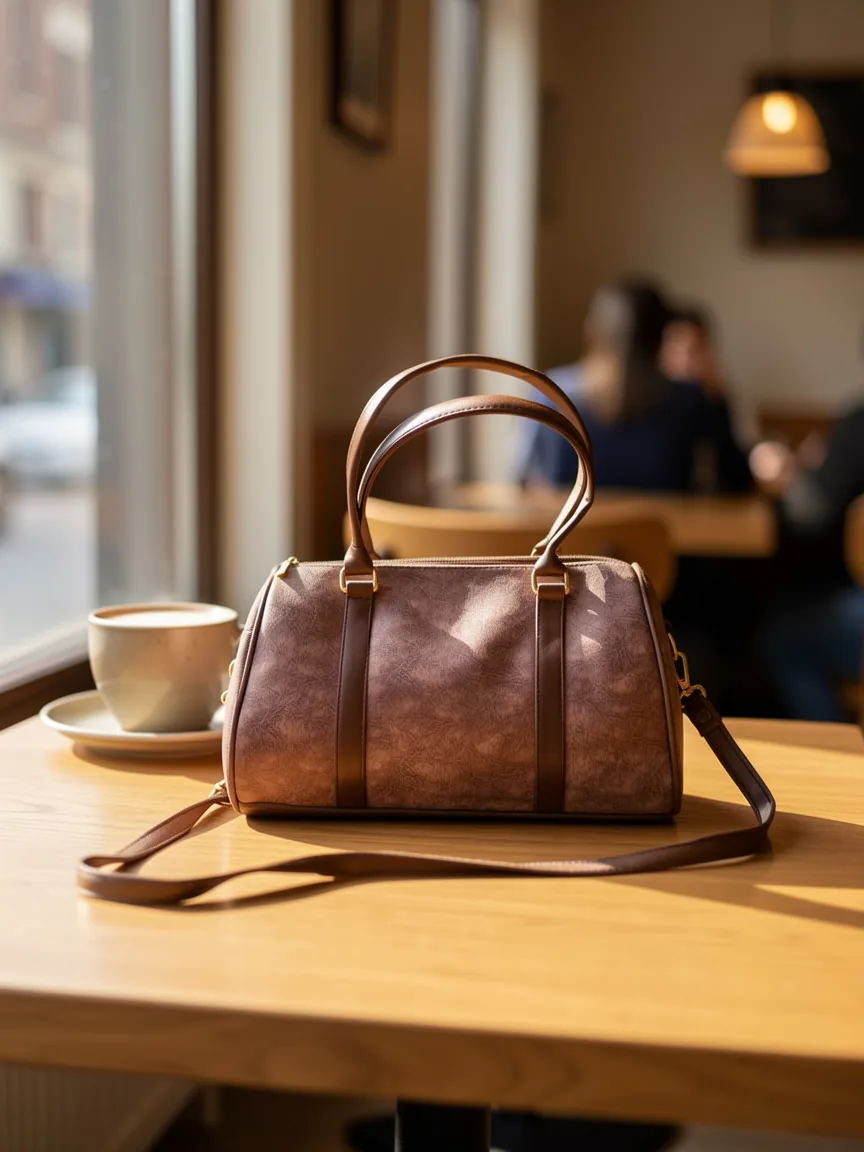
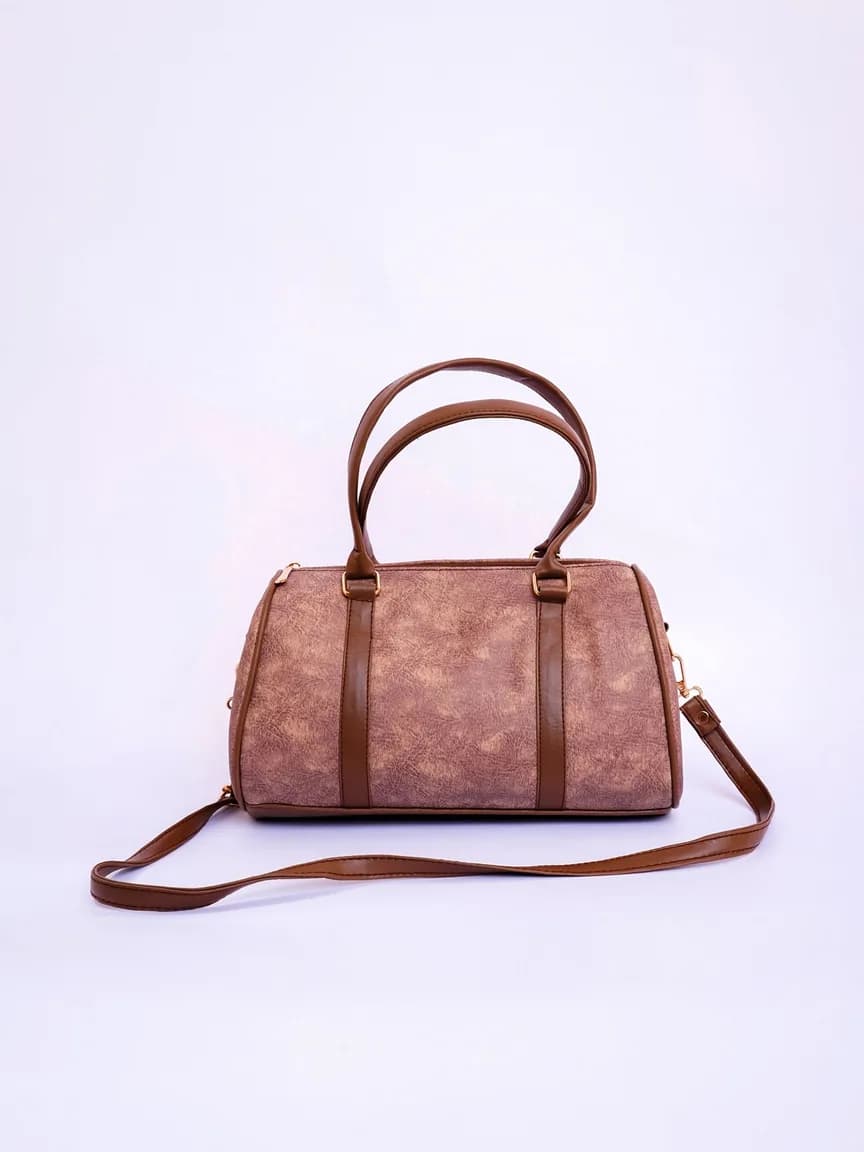
Example image · not your output
FLUX Kontext Pro edits cost 3 credits per image. Creating a new image from text with FLUX.2 Klein 4B on the AI image generator costs 3 credits. The editor always shows the cost before you submit.
Compare models and credits →FLUX Kontext Pro changes the image you upload instead of starting from scratch. It works best when you name one change and say what should stay the same.
Move a product or a person into a new setting, such as a clean studio, a kitchen counter, or a city street, while keeping the subject’s shape and the camera angle.
Swap a mug for a glass, turn a blue jacket green, or clear clutter from a table. Name the object clearly so the model knows exactly what to change.
Change the words on a sign, poster, or label by putting the new text in quotation marks. Short words in clear lettering give the most reliable results.
Turn a photograph into a watercolor, a pencil sketch, or a flat illustration while keeping the composition and main shapes recognizable.
Change clothing, background, or lighting while asking the model to keep the person’s face, hairstyle, and pose. Repeat that request in every instruction.
This is an instruction-based editor, not a pixel-level retouching tool. There are no masks, layers, or manual selections, and every request returns a new image. Long or small text, unusual fonts, hands, fingers, and fine patterns can still come out wrong, and faces can drift slightly between edits. Check each result before you use it, and keep your original file.
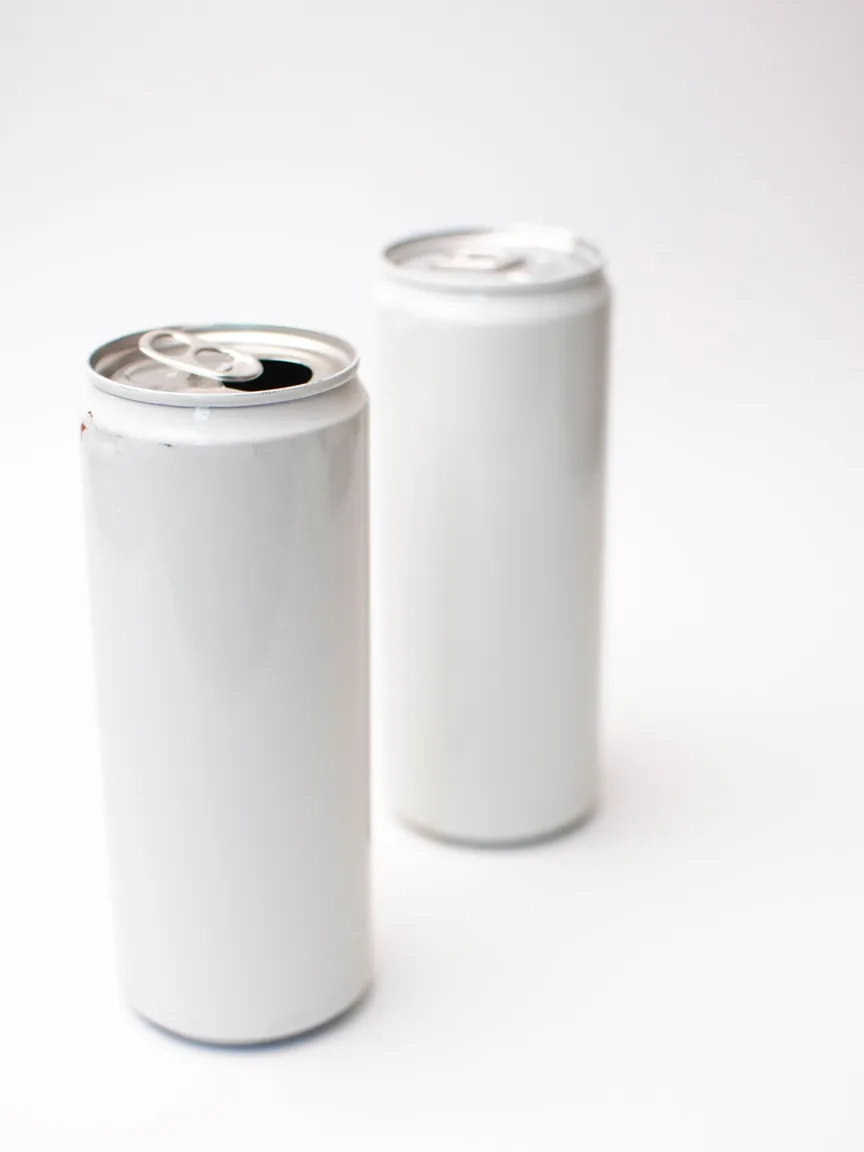
Each example shows the original photo, the exact English instruction we submitted, and the returned result. They are individual outputs, not a promise that every image will behave the same way.

Editing prompt
Place these two cans in a pile of crushed ice with fresh lime slices and mint leaves, with cold water droplets on the cans. Use bright studio lighting on a soft mint-green background. Keep the can shapes, white finish, and the open tab unchanged.
Instruction submitted in English
FLUX.2 Klein 4B · 1K · 3:4 · 3 credits · individual result
Original photo: Леся Терехова / Pexels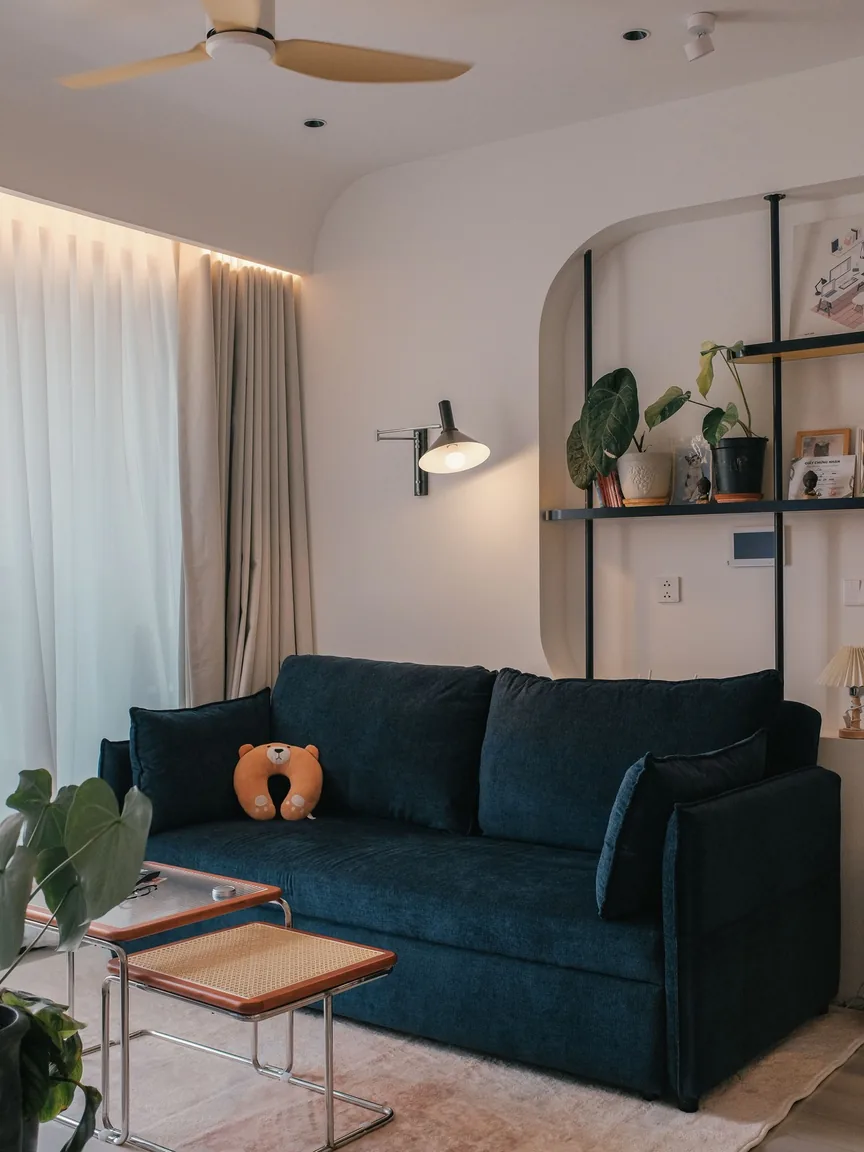
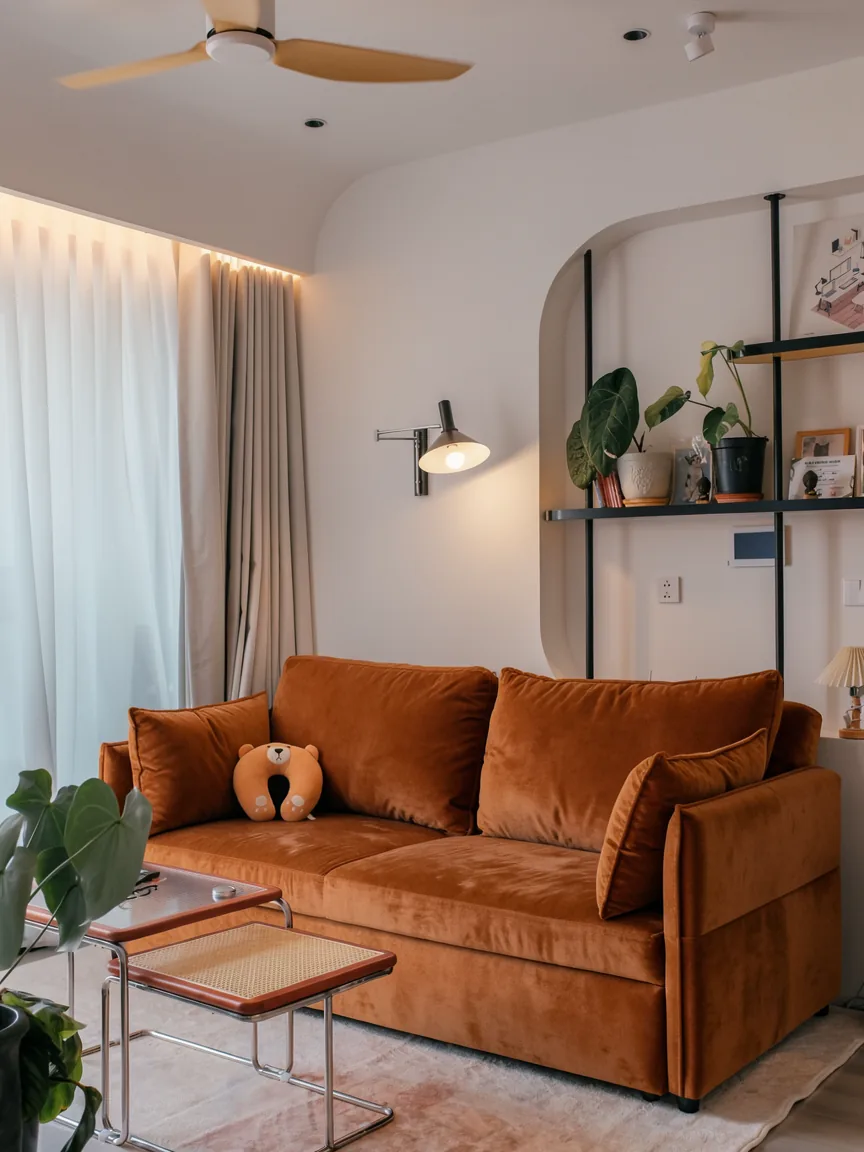
Editing prompt
Change the navy sofa to warm terracotta velvet. Keep the sofa’s shape, cushions, the teddy-bear pillow, the coffee tables, plants, shelves, and lighting unchanged.
Instruction submitted in English
FLUX.2 Klein 4B · 1K · 3:4 · 3 credits · individual result
Original photo: Huy Phan / Pexels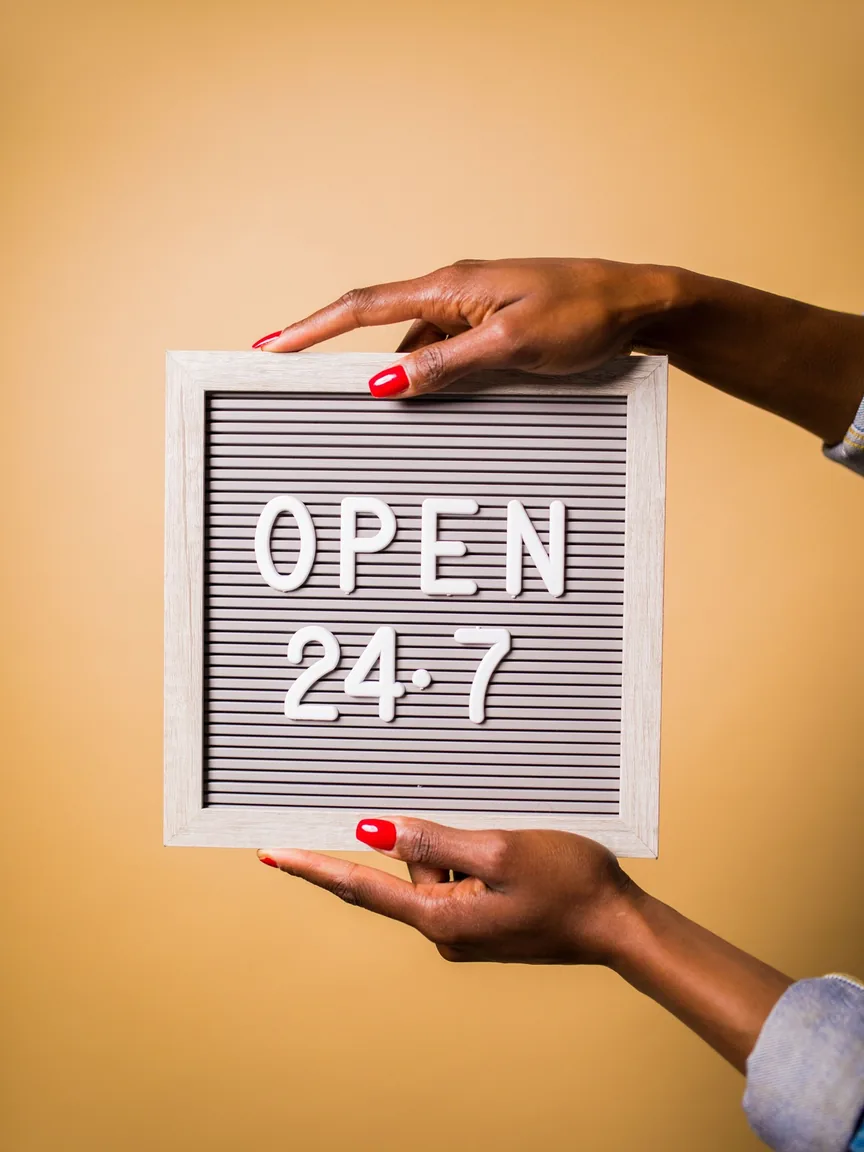

Editing prompt
Replace "OPEN 24-7" with "BACK SOON" on the letter board. Keep the white plastic letters, the two-line layout, the hands, and the yellow background unchanged.
Instruction submitted in English
FLUX Kontext Pro · 3:4 · 3 credits · individual result
Original photo: RDNE Stock project / Pexels
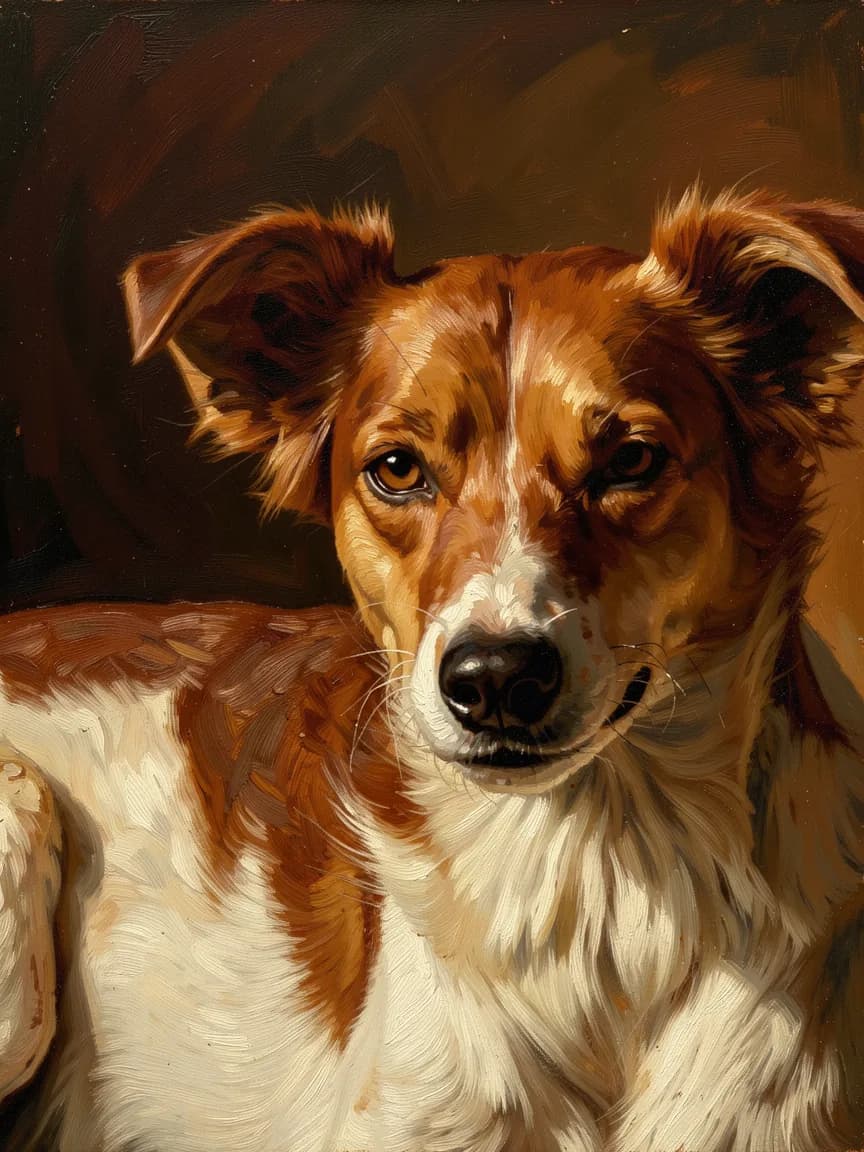
Editing prompt
Turn this photo into a classical oil painting with rich, visible brushstrokes, a dark warm background, and soft dramatic side lighting. Keep the dog’s face, brown and white markings, ear shape, and expression unchanged. Do not add a signature or any text.
Instruction submitted in English
FLUX Kontext Pro · 3:4 · 3 credits · individual result
Original photo: SOYD CONTENIDO / Pexels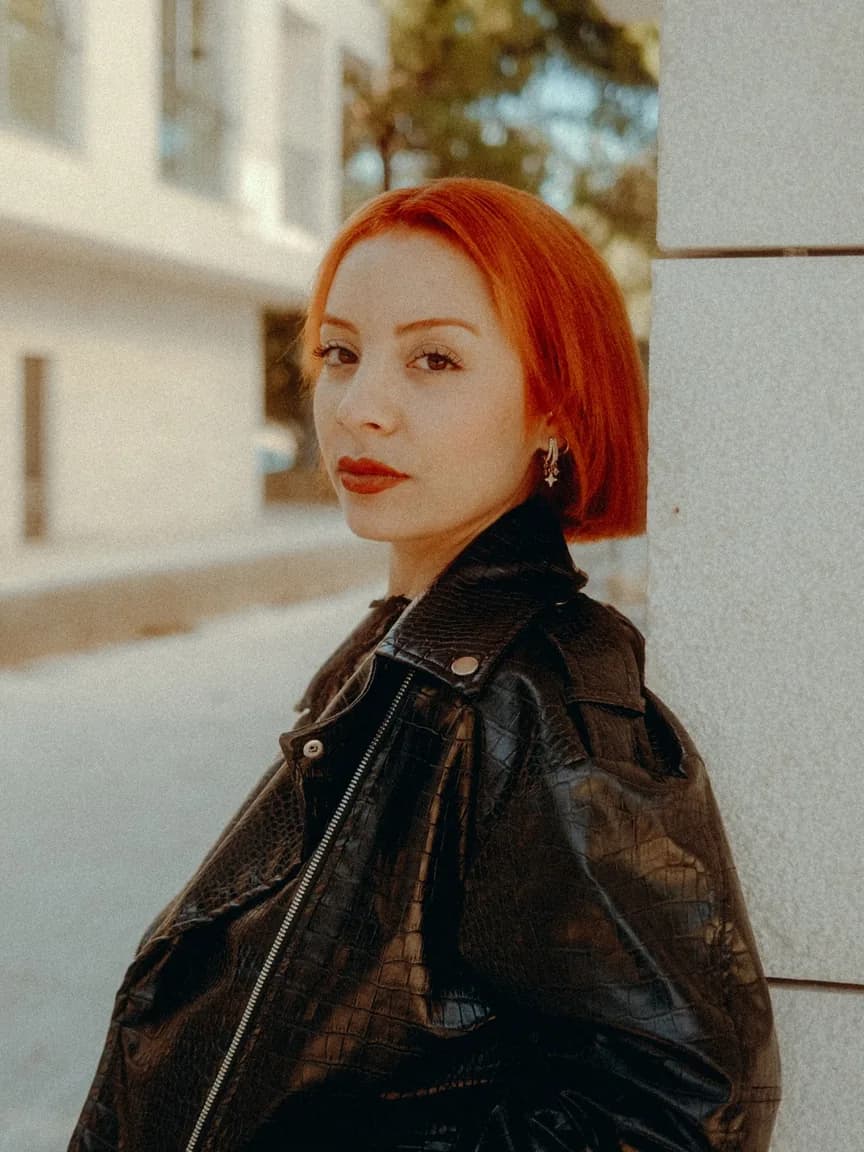
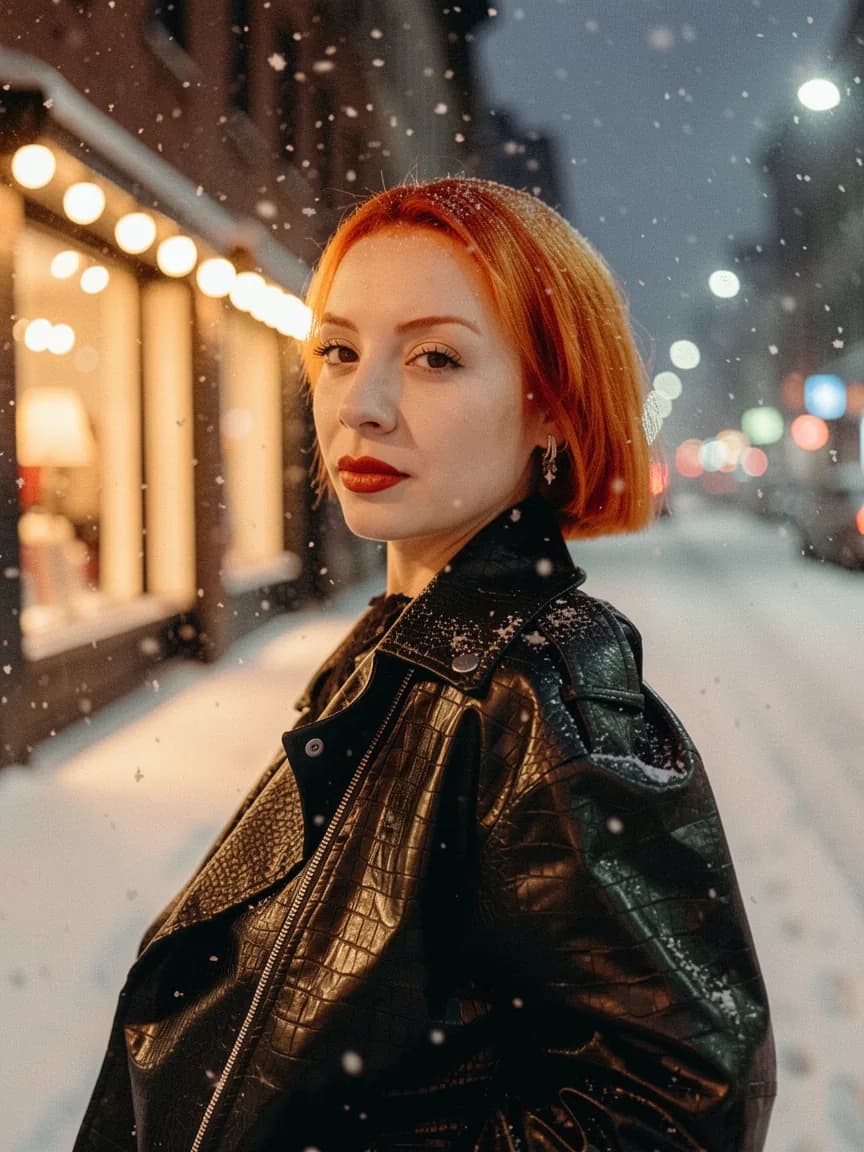
Editing prompt
The woman is now standing on a snowy city street at night, with warm shop lights glowing behind her and snowflakes falling. Keep her face, red bob haircut, makeup, earrings, black leather jacket, and pose unchanged.
Instruction submitted in English
FLUX Kontext Pro · 3:4 · 3 credits · individual result
Original photo: UMUT 🆁🅰🆆 / Pexels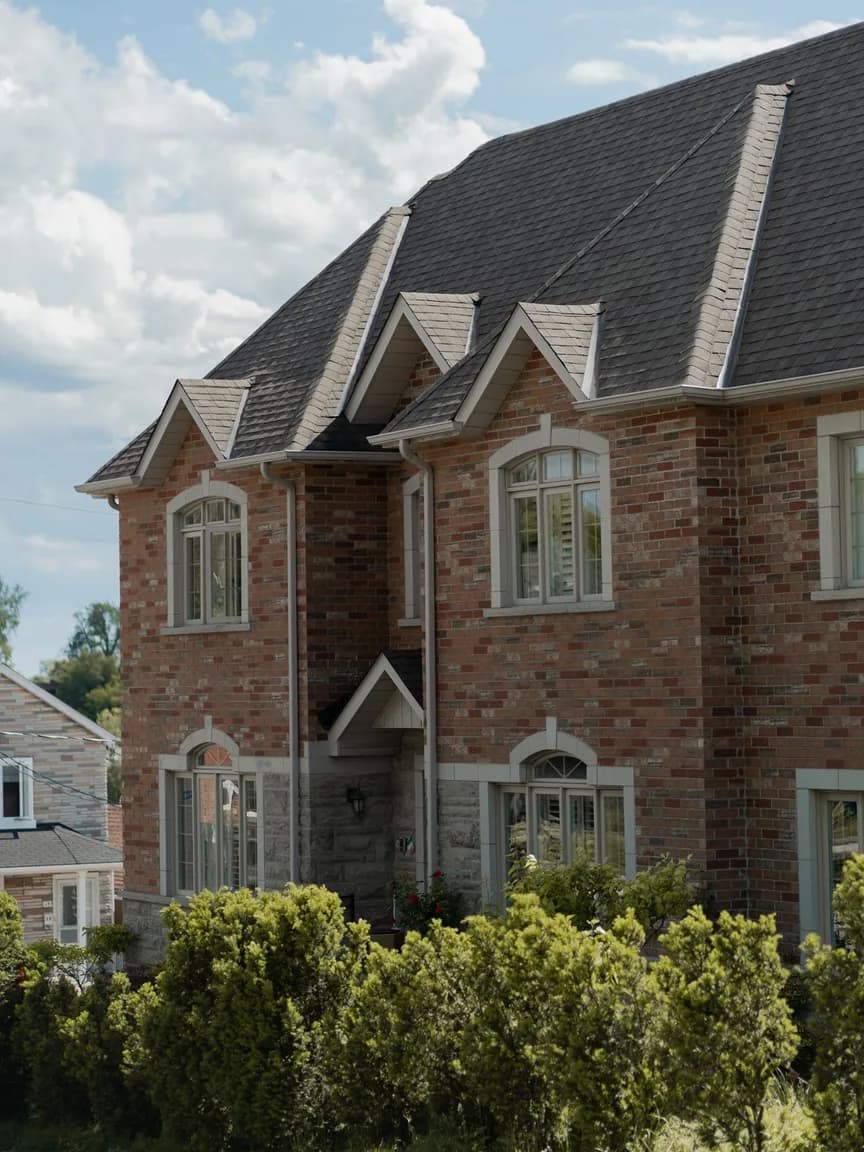

Editing prompt
Turn this daytime photo into an early-evening twilight scene: a deep blue sky fading to soft orange at the horizon, warm interior lights glowing in the windows, and a lit porch lamp. Keep the house’s brick walls, roofline, windows, and front garden unchanged.
Instruction submitted in English
FLUX Kontext Pro · 3:4 · 3 credits · individual result
Original photo: Wolf Art / PexelsUpload one JPG, PNG, or WebP file up to 4 MB; you can start without an account. Choose a clear, well-lit picture, because the model can only work with the detail it can see. Links to images on other websites are not supported, so upload the file itself.
Write what should change and what must stay the same, for example: “Replace the background with a white studio. Keep the product, label, and camera angle unchanged.” Then choose an aspect ratio and check the estimated credit cost.
Compare the result with your original. If something drifted, adjust one part of the instruction and try again. Download the version you want to keep.
Copy an instruction or place it in the editor, then adapt the subject and any quoted original text to your image. Linked examples use the exact English instruction shown above; other prompts are starting points to try.
Place these two cans in a pile of crushed ice with fresh lime slices and mint leaves, with cold water droplets on the cans. Use bright studio lighting on a soft mint-green background. Keep the can shapes, white finish, and the open tab unchanged.
Replace the background with a clean white studio. Keep the subject, its shape, and the camera angle unchanged. Add a soft, natural contact shadow.
Place the person on a quiet beach at sunset in the exact same position. Keep their face, hairstyle, clothing, and pose unchanged, and match the warm sunset light on their skin.
Change the background to a softly blurred modern kitchen. Keep the product sharp and add a natural shadow beneath it.
Turn this photo into a classical oil painting with rich, visible brushstrokes, a dark warm background, and soft dramatic side lighting. Keep the dog’s face, brown and white markings, ear shape, and expression unchanged. Do not add a signature or any text.
Turn this photo into a watercolor illustration with soft colors and visible paper texture. Keep the composition recognizable.
Redraw this image as a clean pencil sketch on white paper. Keep the main shapes and proportions.
Turn this photo into a flat vector illustration with simple shapes and a limited color palette. Keep the composition and main shapes recognizable.
Replace "OPEN 24-7" with "BACK SOON" on the letter board. Keep the white plastic letters, the two-line layout, the hands, and the yellow background unchanged.
Replace "OPEN 24-7" with "OPEN DAILY" on the sign. Keep the font style, color, size, and position the same.
Replace the headline "New Arrivals" with "Summer Sale" on the poster. Keep the font, colors, layout, and everything else unchanged.
Change the navy sofa to warm terracotta velvet. Keep the sofa’s shape, cushions, the teddy-bear pillow, the coffee tables, plants, shelves, and lighting unchanged.
Remove the clutter around the product and place it on a light gray surface with soft studio light. Keep the product, its label, and its shape unchanged.
Change the bottle color from white to matte black. Keep the label, cap, and shape unchanged.
Add a few fresh lemon slices beside the glass. Keep the glass, the drink, and the lighting unchanged.
The woman is now standing on a snowy city street at night, with warm shop lights glowing behind her and snowflakes falling. Keep her face, red bob haircut, makeup, earrings, black leather jacket, and pose unchanged.
Change the jacket from blue to dark green. Keep the person’s face, pose, background, and lighting the same.
Make the scene look like early evening with warm window light. Keep the person’s face, hairstyle, and expression unchanged.
Remove the teddy-bear pillow from the sofa. Keep the sofa, cushions, coffee tables, plants, and lighting unchanged.
Turn this daytime photo into an early-evening twilight scene: a deep blue sky fading to soft orange at the horizon, warm interior lights glowing in the windows, and a lit porch lamp. Keep the house’s brick walls, roofline, windows, and front garden unchanged.
Cover the street, rooftops, and balconies in fresh snow on an overcast winter day. Keep the buildings, street layout, and camera angle unchanged.
FLUX Kontext Pro is the default model on this page. It edits an existing image from a written instruction and currently costs 3 credits per output image. You can request one to four images at once, choose an aspect ratio, and set the output format or a seed under Advanced settings.
The model list may also include other editing models when they are available, such as FLUX.2 Klein 4B. Each one shows its own resolution options and credit cost, and the estimated total updates before you submit.
Editing and text-to-image generation are different tasks. On the AI image generator, FLUX.2 Klein 4B creates a new image from text for 3 credits per image, and FLUX Kontext Pro text-to-image costs 3 credits. Use the editor when an existing photo needs to stay recognizable; use the generator when you are starting from an idea.
Prices can change. The cost shown in the tool when you submit is the one that applies.
The homepage workbench is our general image to image AI editor for changing photos with different models.
Open the image to image AI editor →No photo yet? Describe the scene and create a first version, then bring it back here for focused edits.
Generate an image from text →Browse ready-made prompts and adapt the subject, style, and lighting to your project.
Browse prompt ideas →No. Image editing uses credits from your balance and is not part of the free allowance. FLUX Kontext Pro currently costs 3 credits per image, and the editor shows the estimated cost and your balance before you submit. Credits are sold as one-time packs and do not expire.
No. Without an account you can make 2 free edits a day with FLUX.2 Klein at 1K. Guests can’t reopen results after leaving the page, so download the images you want to keep. Sign in for 4 free edits a day, your credit balance, and the other models.
JPG, PNG, and WebP files up to 4 MB, one image per edit. Links to images on other websites are not supported, so save the picture and upload the file.
Often, yes. Put the new words in quotation marks and say where they appear. Short words in clear lettering work best; long sentences, small type, and decorative fonts can come out misspelled, so check the result closely.
Say so in every instruction, for example “Keep the person’s face, hairstyle, and expression unchanged.” Change one thing per edit. Small differences can still appear, especially after several rounds of editing.
That depends on the terms of the selected model and service, and on your rights to the image you uploaded. Review those terms before publishing, and check for logos, recognizable people, or other third-party material.
Read the terms of use →Uploads and results are stored privately so the edit can be processed and delivered; they are not added to a public gallery. Stored files are deleted after a limited retention period, so download any result you want to keep.
Read the privacy policy →If the editing service reports a failure, or an approved image cannot be delivered, the credits for the affected images return to your balance automatically. Images blocked by content review are not delivered, and their credits are not returned. If a task is still unconfirmed, use Check task status; the editor does not send a second paid request on its own.
Upload an image, describe one clear change, and keep what matters in the original.
Looking for Seedream 5.5? Read our features and availability guide.