
01 / Campaign copy
Adapt a campaign for a new city.
Update the event city and date while asking to preserve the existing visual identity.
City and date updated; letter spacing shifted slightly.
Edit your photos online with a Qwen image editing model.
Upload an image, describe what to change, and review the result before downloading.
City and date updated; letter spacing shifted slightly.
Update this event poster for a new city and date. Replace ONLY "PARIS" with "TOKYO", and ONLY "12–14 JUN 2027" with "08–10 OCT 2027". Preserve the DESIGN WEEK headline, original sans-serif typography, lettering weight and size, positions and alignment, ivory paper, chrome sculpture, dark teal panel, rules and all remaining details. The replacement text must be exactly TOKYO and 08–10 OCT 2027, sharply readable. Do not redesign, crop or add anything.
Real edits from Qwen Image 3 Edit at 2K, using AI-generated references. Load an example to try the same image and instruction.
01 / Campaign copy
Update the event city and date while asking to preserve the existing visual identity.
City and date updated; letter spacing shifted slightly.
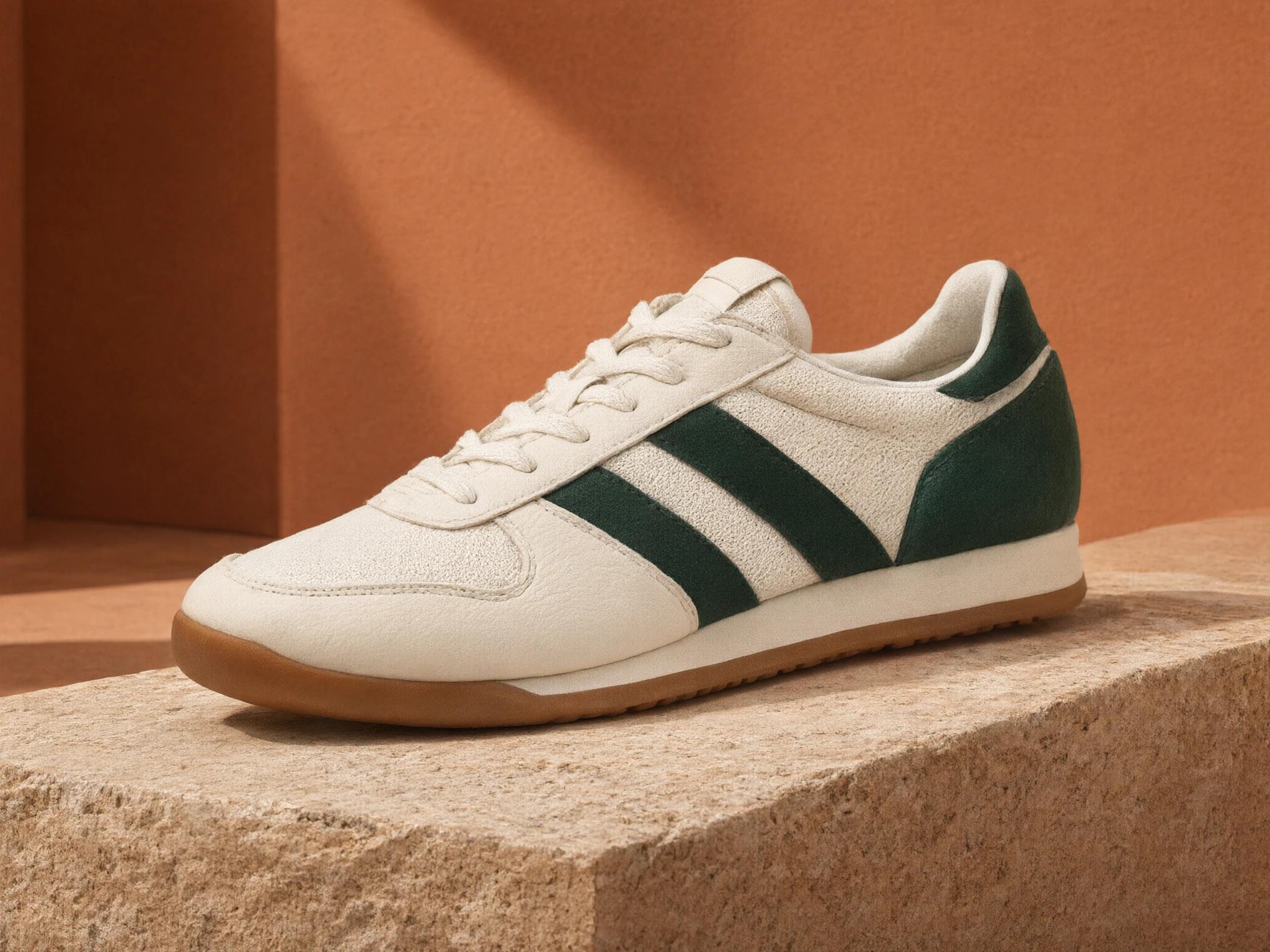
02 / Product campaigns
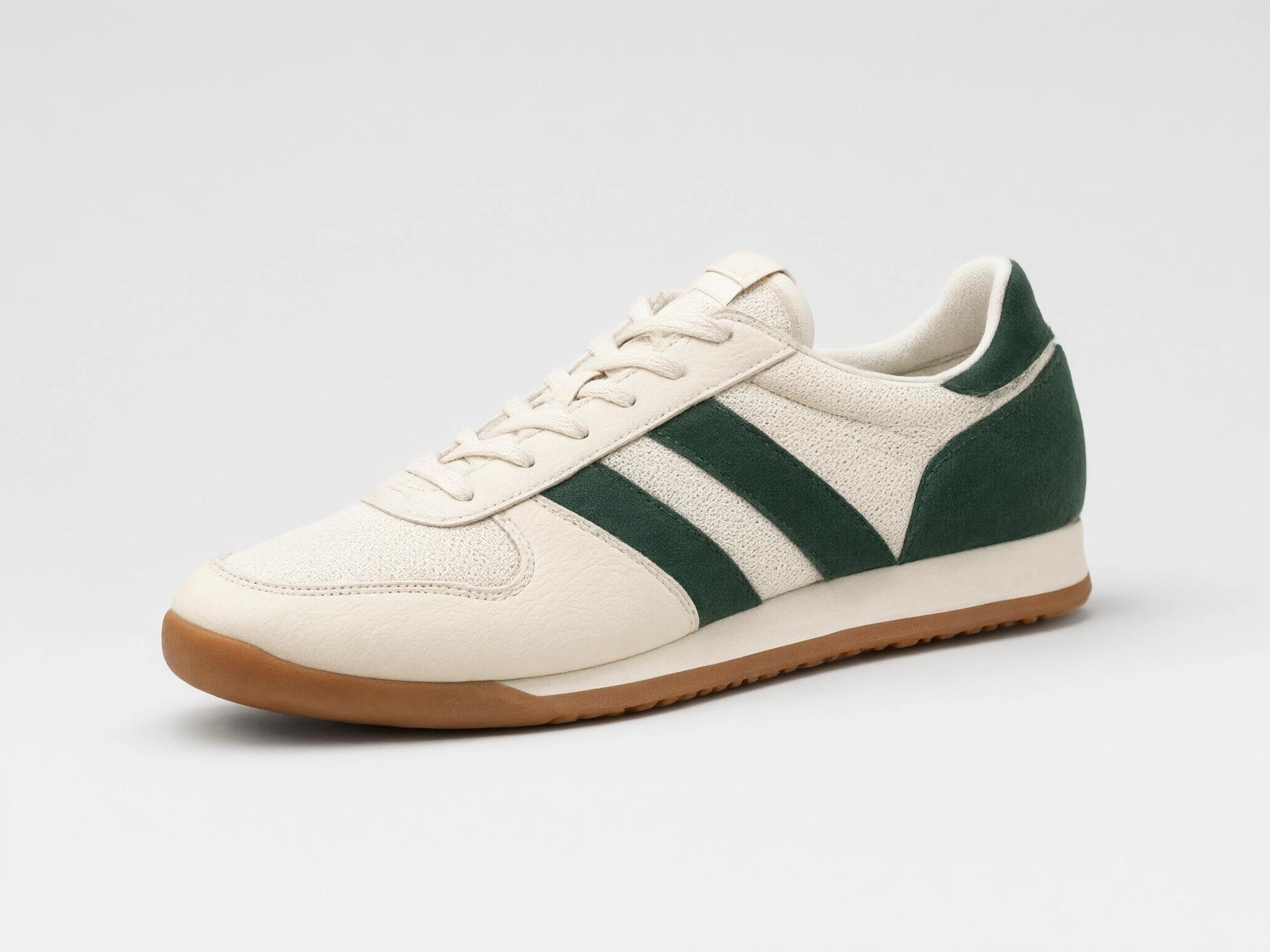
Give a catalog product a new setting for a launch, store page or advertisement.
The setting changed; fine stitching and lace details also vary.
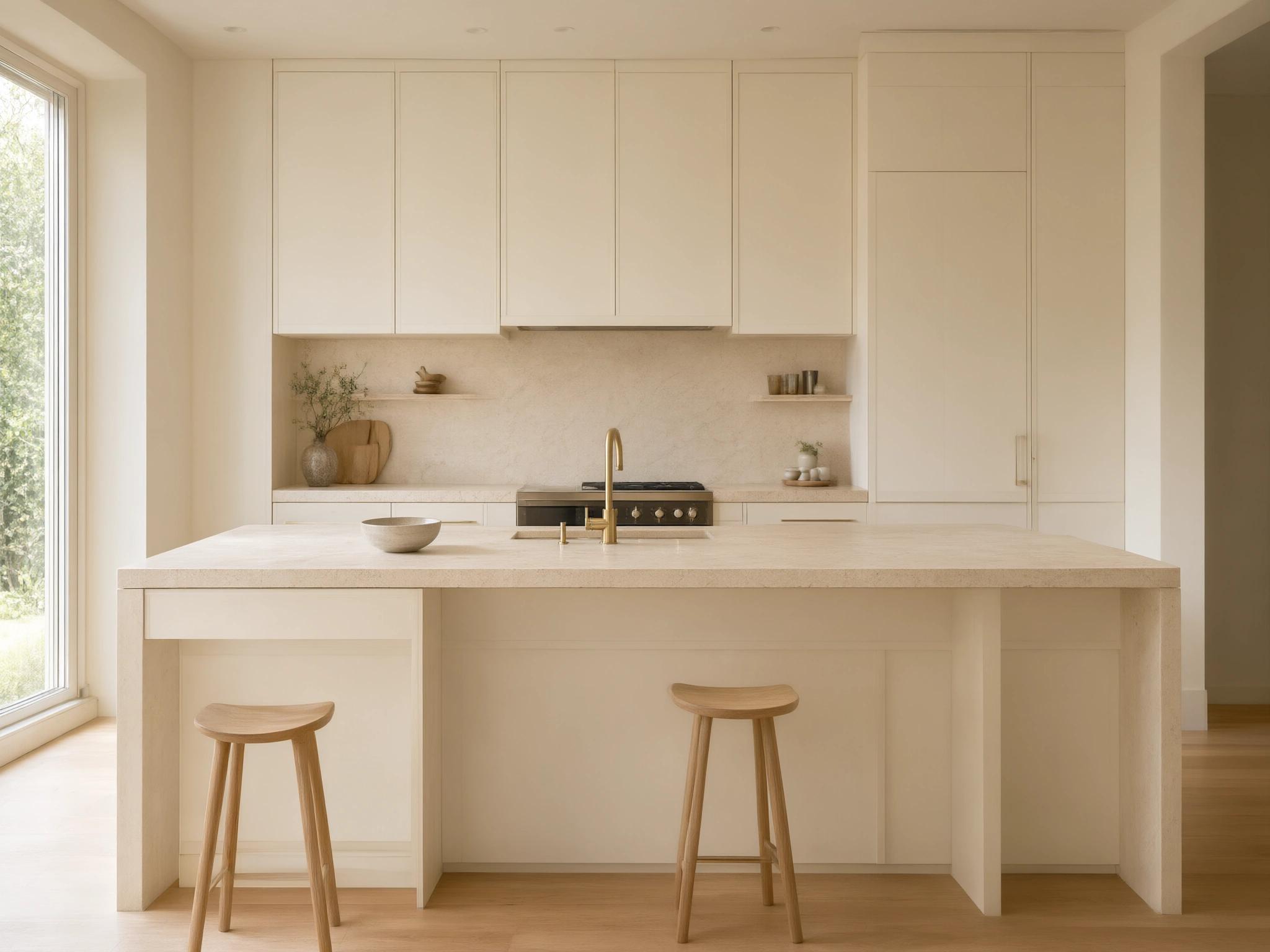
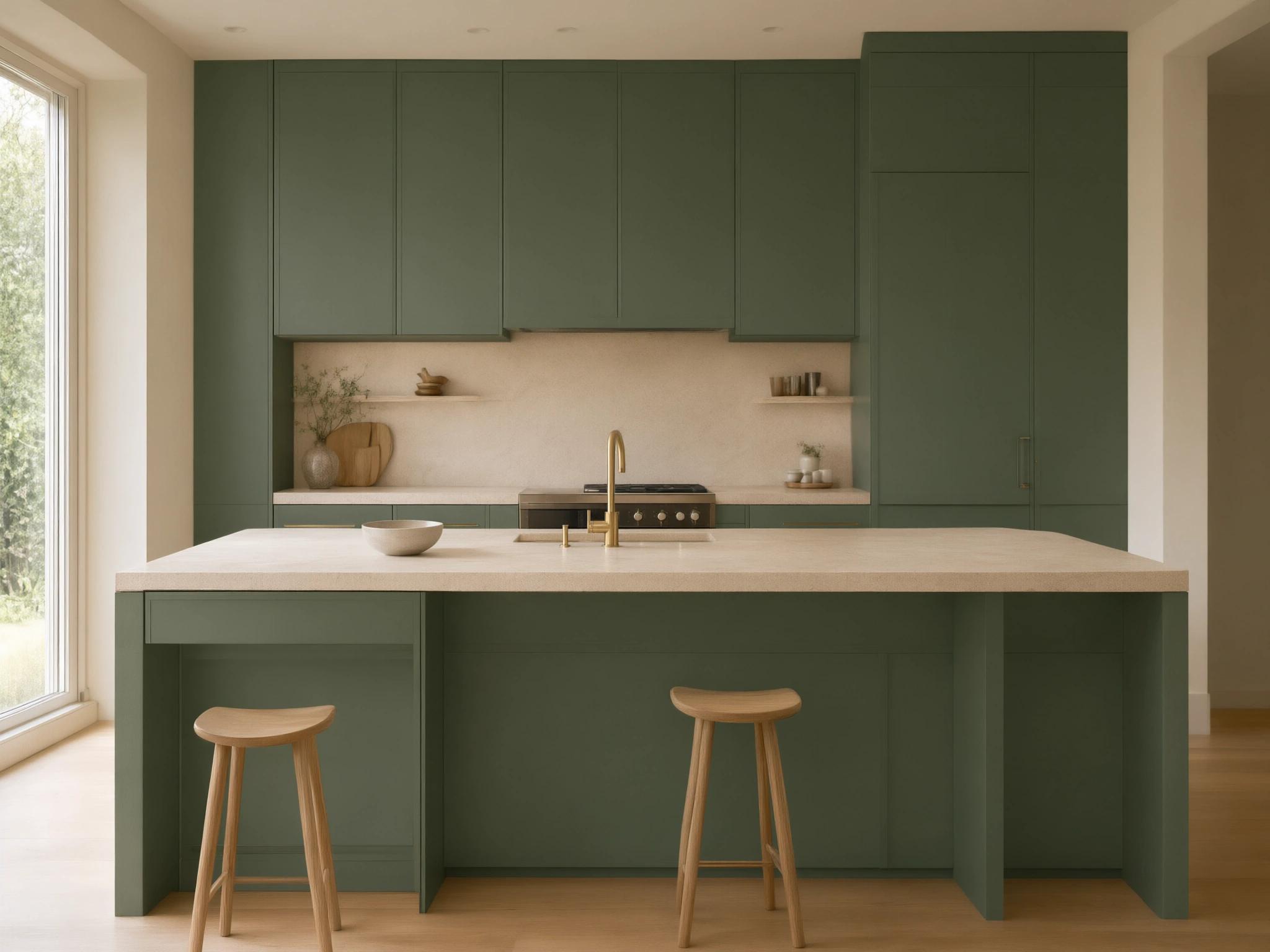
03 / Interior finishes
Explore a forest-green palette while asking to retain the kitchen architecture and materials.
Cabinets recolored; some edge and surface details also shifted.
Choose the photo you want to edit.
Explain what to change and which details you want to preserve.
Check the credit cost, generate your edit, and inspect the result before downloading.
Change [specific element] to [desired result].
Preserve [important details].
Update this event poster for a new city and date. Replace ONLY "PARIS" with "TOKYO", and ONLY "12–14 JUN 2027" with "08–10 OCT 2027". Preserve the DESIGN WEEK headline, original sans-serif typography, lettering weight and size, positions and alignment, ivory paper, chrome sculpture, dark teal panel, rules and all remaining details. The replacement text must be exactly TOKYO and 08–10 OCT 2027, sharply readable. Do not redesign, crop or add anything.
Replace only the plain studio background and floor with a premium terracotta campaign set: place the shoe on a broad low travertine slab, with a sunlit warm clay wall behind it and a subtle diagonal architectural shadow. Keep the exact single shoe, cream and forest-green materials, stitching, gum sole, camera angle, size and position unchanged. Keep the entire shoe visible. Match a realistic contact shadow. Do not add text, logos, other shoes, people or decorative objects.
Change only the painted cabinet fronts and island side panels from warm ivory to a rich muted forest-green matte lacquer. Preserve the exact kitchen architecture, cabinet divisions, door geometry, brass hardware and faucet, pale limestone countertop and backsplash, oak floor and stools, bowl, appliances, window, camera position, framing and daylight. Do not recolor stone, walls or flooring. Keep the same composition and realistic material texture, reflections and shadows. Do not add or remove anything.
Remove the small object on the table. Reconstruct the surface naturally and preserve the rest of the scene.
Reimagine this image as a soft watercolor illustration. Preserve the subject, composition, and recognizable details.
These instructions describe what you want, not a guarantee that other details will remain identical.
Standard output size
Standard output size
1K and 2K · Same price
Standard output size
Choose Qwen Image Edit, Qwen Image 2 Edit, Qwen Image 3 Edit, or Qwen Image 2 Pro Edit in the editor. Each accepts one JPEG, PNG, or WebP reference up to 4 MB, with five aspect ratios and 1–4 outputs. Only Qwen Image 3 Edit offers a 1K/2K choice. Inspect text, faces, product labels, and edges; areas outside your request can also change.
Review the total in the editor before generating. The cost depends on your model and output count; Qwen Image 3 Edit costs the same at 1K and 2K. Qwen edits use credits. Free daily edits for other models do not apply to Qwen.
Inputs are checked before credits are charged. Confirmed generation failures and technical delivery failures return the affected credits. Outputs withheld by content review remain charged.
Your reference uploads when you submit. Inputs and results are reviewed and stored privately, without publishing them to a gallery. Reference images expire after 48 hours and approved results after 30 days. Download results before they expire.
Contact us about image deletionNo. Pictela is an independent image editing service and is not affiliated with Qwen or Alibaba.
The lineup is Qwen Image Edit, Qwen Image 2 Edit, Qwen Image 3 Edit, and Qwen Image 2 Pro Edit. The editor shows which models and output sizes are currently available.
Qwen edits use credits at the rates shown in the editor. Free daily edits for other models do not apply to Qwen; this page does not switch your request to another model.
Text changes are one intended use. Specify the exact replacement and the layout to preserve. Spelling, typography, and surrounding details still need a careful check; the examples show individual test results rather than guaranteed outcomes.
This first version accepts one JPEG, PNG, or WebP image up to 4 MB. You can select 1–4 output images. Output quantity and reference image quantity are different settings.
The confirmed rates are 6 credits per output for Qwen Image Edit, 9 for Qwen Image 2 Edit, 9 for Qwen Image 3 Edit, and 18 for Qwen Image 2 Pro Edit. Qwen Image 3 costs the same at 1K and 2K. The total is the per-image rate multiplied by the number of outputs.
Your reference uploads privately when you submit. Inputs and outputs are reviewed and delivered through private storage, without publishing them to a public gallery.
Generative editing can change details outside the requested edit. Say what should be preserved and inspect the full-size result, particularly faces, product labels, text, and edges.